Skip to content
- Go to Google Play on your Android box
Search for the word “STB Emulator”
Install the Free version of StbEmu
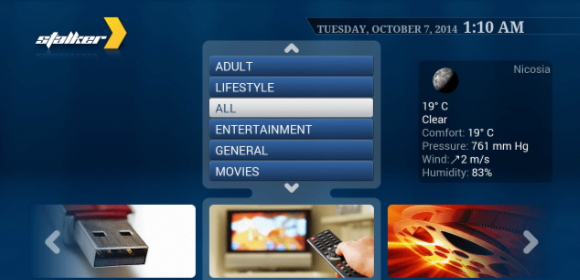
Once it is installed, it will look something like this –>
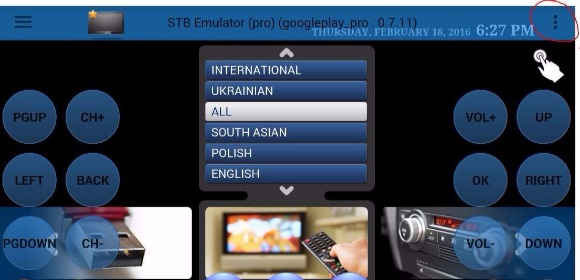
On the Top Right Corner, you will see 3 dots to go to Settings
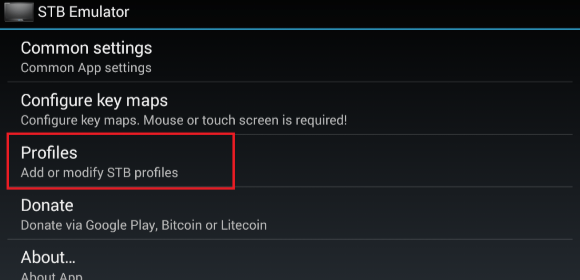
On the Settings, go to Profile menu
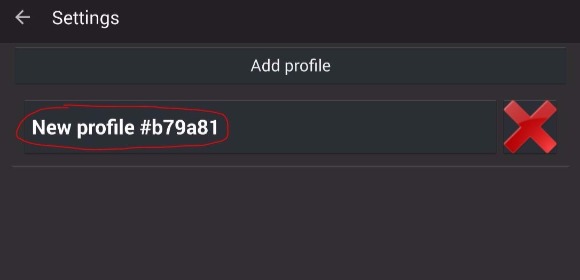
You can Add Profile or click on existing profile
We prefer to Add new profile so that it will not affect existing profile. Profile name in the picture is just an example.
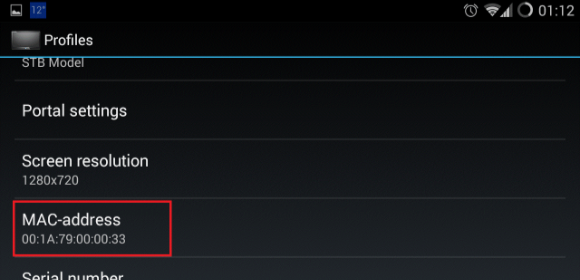 Check and MAC Address and send the same to us
We need this MAC address to give you subscription. Your subscription is tagged to the MAC address of your box.
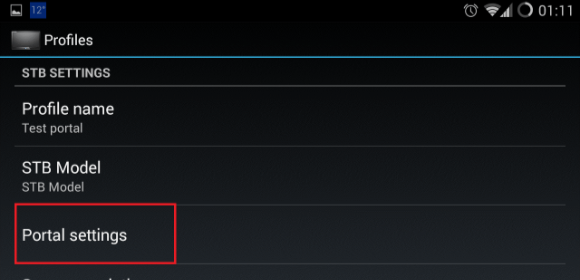
Once you get the Portal URL from us, you need to go to Portal settings
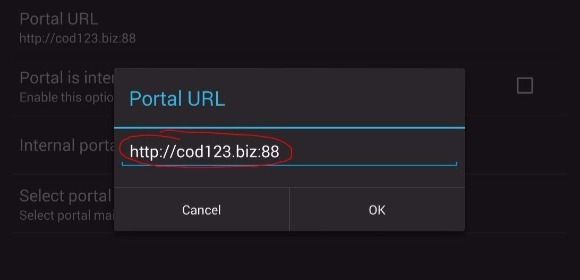
Enter the Portal URL and Press OK to save it
After entering the Portal URL, your StbEmu will update the channel list for you and you will be able to watch the same.
URL in the picture is just an example.